

Verified Expert Advisors

Free MT4 & MT5 Expert Advisors

Explore our curated directory of algorithmic trading robots for MetaTrader 4 and 5. Every Expert Advisor featured here has undergone rigorous tick-data backtesting and forward verification, filtering out hidden grid traps and unhedged martingale schemes. When selecting an EA, prioritize drawdown stability over raw win-rate, align risk limits with your personal account capitalization, and always test for a minimum of two weeks on demo before committing live capital.

BOSSE EA 8 MT5
E

BOSSE EA 8 MT5

Symbol XAUUSD
Timeframe M1
Platform MetaTrader 5

High-frequency martingale grid EA on XAUUSD M1. Backtest audit demonstrates extreme tail risk resulting in 100.36%…

View Details
YinChaoJi EN MT5
A

YinChaoJi EN MT5

Symbol XAUUSD
Timeframe M1
Platform MetaTrader 5

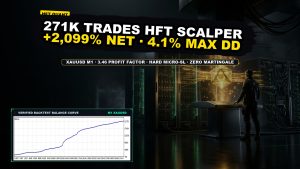
Ultra-high frequency gold scalper executing 271,826 trades on XAUUSD M1 with a 3.46 profit factor and…

View Details
AXIO Gold EA MT5
A+

AXIO Gold EA MT5

Symbol XAUUSD
Timeframe M1
Platform MetaTrader 5

M1 XAUUSD prop-firm gold scalper featuring single-order execution, fixed 3,500-pip hard stop-loss, and built-in high-impact news…

View Details
EXECUTION STANDARDS

Key Takeaways & Execution Standards

Platforms MetaTrader 4 (MT4) & MetaTrader 5 (MT5)
Verification 99.9% real tick data backtest reports with trade ledger
Risk Filter Unhedged martingale and high-risk grid mechanisms flagged
Deployment Requires co-located Windows VPS (<10ms) and ECN account
BENCHMARK CRITERIA

Technical Specification & Comparison Matrix

EA Category Timeframe Recommended Pairs Drawdown Ceiling Best Setup
Low Spread Scalper M1 / M5 EURUSD, GBPUSD ≤ 15% ECN Broker, <5ms VPS
Gold Trend Rider M15 / H1 XAUUSD ≤ 25% 0.01 lot per $1,000
Multi-Currency Portfolio H1 AUDCAD, NZDCAD, USDCAD ≤ 20% Diversified basket
COMMONLY ASKED QUESTIONS

Topic FAQ & Practical Insights

Are these Expert Advisors safe to run on live accounts?

Every EA carries market risk. We independently backtest each robot to expose hidden risk mechanisms, but you must always validate performance on a demo account for 2–4 weeks and apply conservative lot sizing.

How do I download and install an EA?

Click the instant download button to receive the package via Telegram. Extract the zip and run quick_install.bat to automatically deploy the EA and .set preset files to your MetaTrader data directory.