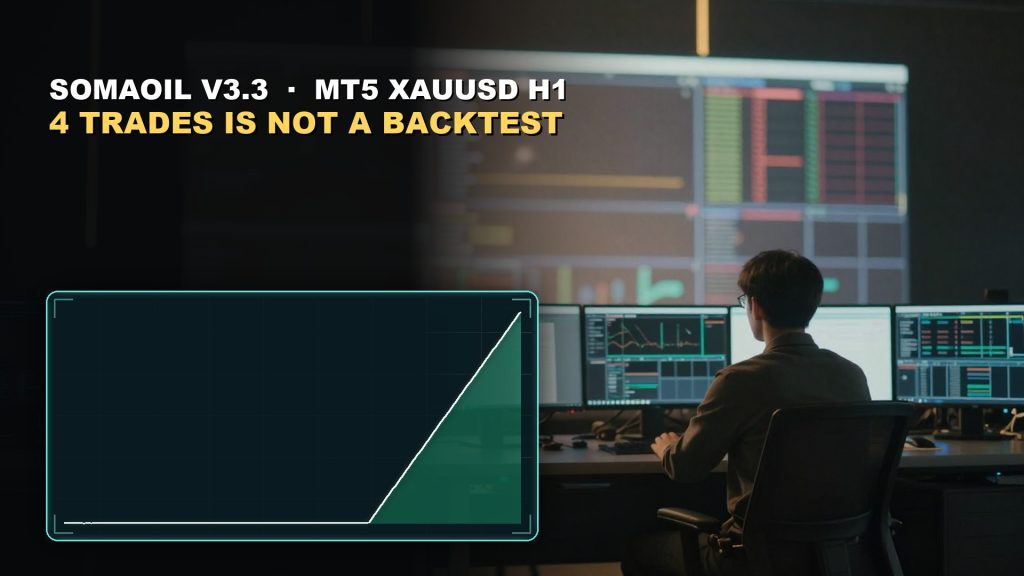
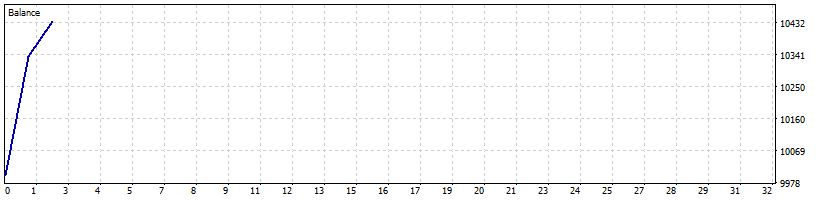
Four trades in four months is not a backtest: until a full-period run is supplied, this page documents a configuration, not a strategy with a measurable edge.
Source & Review
Source
No official listing has been supplied for this product.
RBOT review status
Source information only
Product details are sourced from the publisher. RBOT.CC has not independently verified performance claims.
Testing conditions
Strategy Origin
RBOT.CC
Symbol(s)
XAUUSD
Timeframe
H1
Broker / data source
MetaQuotes-Demo (MetaQuotes Ltd., build 6323)
Spread and commission
MT5 strategy tester in profit-in-pips currency mode, zero commission, 1:100 leverage, 99% history quality; live spread and slippage apply
Leverage
1:100
Risk settings
Twenty selectable strategies, NFP/CPI/interest-rate filters on, 80-pip spread cap, 0.01 lot start with balance-based scaling, no stop-loss on the four closed trades
Test period
2025.12.12 - 2026.06.24
This page describes a third-party product. RBOT.CC is not the developer unless explicitly stated. Verify all claims before use.
Performance evidence
Strategy Details
Logic
SomaOil V3.3 is built as a portfolio of twenty numbered strategies that can be switched on individually, with NFP, CPI and interest-rate windows closing positions and removing pending orders before the release. The submitted report covers a single four-month window and closes only four trades, so it documents the configuration rather than the behaviour. Position size started at 0.01 lots and scaled with balance.
Risk Management
Four trades cannot support a risk conclusion. Maximum equity drawdown was 3% and every closed trade was in profit, which is the expected outcome of a sample this small, and the report carries no meaningful loss statistics. The news filters and the 22:50 Friday close are the only structural guards visible in the configuration, and no stop-loss or take-profit value was set on any of the four trades.
Trading Setup
Symbol/Timeframe
XAUUSD H1
Min. Deposit
10000
Leverage
1:100
Platform
MetaTrader 5
Parameters & Installation
Frequently Asked Questions
How do I download the EA?
Click the "GET DOWNLOAD ON TELEGRAM" button (or click "INSTANT DOWNLOAD" in the top hero to jump to it). The button connects to our official Telegram delivery bot, which instantly sends you the clean, uncorrupted download package directly — 100% free with no registration, no subscription, and no paywalls required.
📦 Package Contents: • Expert Advisor file (.ex4 for MT4 or .ex5 for MT5) • Optimized preset files (.set) for supported currency pairs • Historical backtest reports and performance metrics • One-click auto-installer script (quick_install.bat)
Once downloaded via Telegram, extract the ZIP archive and follow the installation instructions below.
How do I install the EA on my MT4 / MT5 account?
To ensure smooth setup, we provide two installation methods:
⚡ Method 1: One-Click Auto-Installation (Recommended) 1. Extract the downloaded zip package. 2. Double-click quick_install.bat. 3. Confirm your MT4/MT5 path (the script auto-detects it; press Enter). The script automatically deploys the EA (.ex4/.ex5) and presets (.set) into the correct folders, and launches your terminal.
🛠️ Method 2: Manual Installation 1. In MetaTrader, go to File > Open Data Folder. 2. Copy the EA into MQL4/Experts (or MQL5/Experts) and preset files into MQL4/Presets. 3. Right-click Expert Advisors in the Navigator panel and select Refresh.
⚙️ Critical Configuration: Enable "Allow Algo Trading" in the EA's Common tab and make sure the master Algo Trading button at the top toolbar is Green.
For video demonstrations and troubleshooting, visit our step-by-step Installation Guide.
Which broker is recommended for running this EA?
We use IC Markets Raw Spread for backtests and live runs: low spreads keep the tester's cost assumptions close to real execution. The EA runs on any MetaTrader broker — just match the symbol suffix, spread and commission settings, and give it two weeks on demo first.
Yes. All core indicators and EAs on RBOT.CC are free to download directly without email walls, hidden paywalls, or account limits. If a third-party developer offers an optional commercial Pro version, it is clearly indicated with an external source link.
Can I use these tools on demo and live accounts?
Yes. You can run them on unlimited demo and live accounts with any MetaTrader broker. We strongly recommend testing thoroughly on a demo account for at least 2 to 4 weeks to observe trade behavior and drawdowns before using real money.
Do I need a VPS to use these tools?
Indicators and manual chart work do not need a VPS — a normal PC is enough.
For EAs that must stay online 24/5 we run ours on a small HHOST Windows VPS (2 vCPU / 4 GB comfortably runs a few terminals). It only protects you from home connection drops and power cuts.
You can join our Telegram community (@wwwrbotcc) to ask setup questions, share backtests, and discuss strategy settings with the RBOT team and other algorithmic traders.
This EA is for educational and expert use only. Test on a DEMO account for at least 30 days before going live. By clicking “OK”, you acknowledge and accept the risks of trading.