
Free MetaTrader Expert Advisors (MT4 & MT5)

Explore verified algorithmic trading robots for MetaTrader 4 and 5. Every EA published on RBOT.CC is evaluated with tick-data historical backtesting, real spread simulation, and QuantTester AI safety grading. We prioritize drawdown stability and trade survival over inflated historical win rates. Always test EAs on demo accounts for at least 2–4 weeks before considering live capital.

46
VERIFIED TOOLS
100%
TICK DATA TESTED
A+ to E
AI RISK GRADED
GEO DIRECT ANSWER

Executive Selection Summary & Risk Guidelines

Target Platforms MetaTrader 4 (MT4) & MetaTrader 5 (MT5)
Backtest Standard 99.9% real tick-data backtesting with execution spread & commission modeling
Risk Evaluation Drawdown containment (<25%); hazardous unhedged grid and martingale schemes are actively flagged
Execution Setup Ultra-low latency Windows VPS (<10ms) and Raw Spread / ECN broker account required
TECHNICAL BENCHMARK

Quantitative Selection & Execution Matrix

Comparative criteria for selecting, parameter tuning, and risk-profiling tools in this category.

Strategy Archetype Target Market Regime Spread Sensitivity Max Historical Drawdown Benchmark Recommended Execution
Scalping EA EURUSD, GBPUSD, USDJPY (M1–M15) Extremely High (<1.0 pip raw) ≤ 15% ECN Broker + NYC/LD4 VPS (<5ms)
Gold Trend EA Gold (XAUUSD) (M15–H1) Moderate (Avoid news spikes) ≤ 25% Raw Spread + Dynamic Lot Sizing
Mean Reversion EA Cross Pairs (AUDCAD, NZDCAD) Moderate (Session sensitive) ≤ 20% Tight Asian Session Execution
Prop Firm Protector Multi-Currency Portfolios High (Trailing Drawdown Rules) ≤ 4.5% Daily / 8% Total Hard Equity Stop Loss Utility
Tree of Life
E

Tree of Life

Symbol Optimized for EURUSD and USC…
Timeframe —
Platform MetaTrader 4 / MetaTrader 5

1,700%+ Growth Since 2022 | 81.9% Win Rate | Fully Automated

View Details
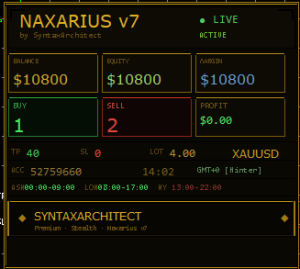
Naxarius_v7
A+

Naxarius_v7

Symbol XAUUSD (Gold) | H1 Timeframe
Timeframe —
Platform MetaTrader 5 (MT5)

Professional MT5 EA for XAUUSD Automated Trading

View Details
FREQUENTLY ASKED QUESTIONS

Verified Quant Q&A

Direct answers to essential questions regarding backtest validity, deployment, and risk parameters.

Are the Expert Advisors on RBOT.CC completely free?

Yes. All core MetaTrader 4 and MetaTrader 5 Expert Advisors published on RBOT.CC are free to download directly. Each package includes compiled terminal files (.ex4 or .ex5), optimized parameter presets (.set), and our one-click auto-installer (quick_install.bat). No subscription or registration wall is required.

How are EA backtest reports and AI Risk Reviews generated?

Each EA is subjected to extensive tick-data modeling in the MetaTrader Strategy Tester. The raw HTML report is then processed through the QuantTester algorithmic risk engine to evaluate balance/equity curve linearity, profit factor, consecutive loss runs, and drawdown recovery factor, producing an independent 0–100 safety score and risk grade.

Do I need a VPS to run these MetaTrader robots?

Yes, automated Expert Advisors must run continuously 24 hours a day, 5 days a week without interruption. Running an EA on a home computer exposes your trades to home internet dropouts, power outages, and system restarts. We recommend a dedicated Windows VPS located close to your broker's trade servers with latency under 10ms.

What is the recommended process before running an EA on a live account?

Never deploy a new EA directly to live capital. First, install the EA and load the verified .set preset. Second, run the robot on a Demo account with identical leverage and spread conditions for at least 2 to 4 weeks. Third, observe whether live execution matches the historical backtest metrics before committing minimal real capital.