Third-party product
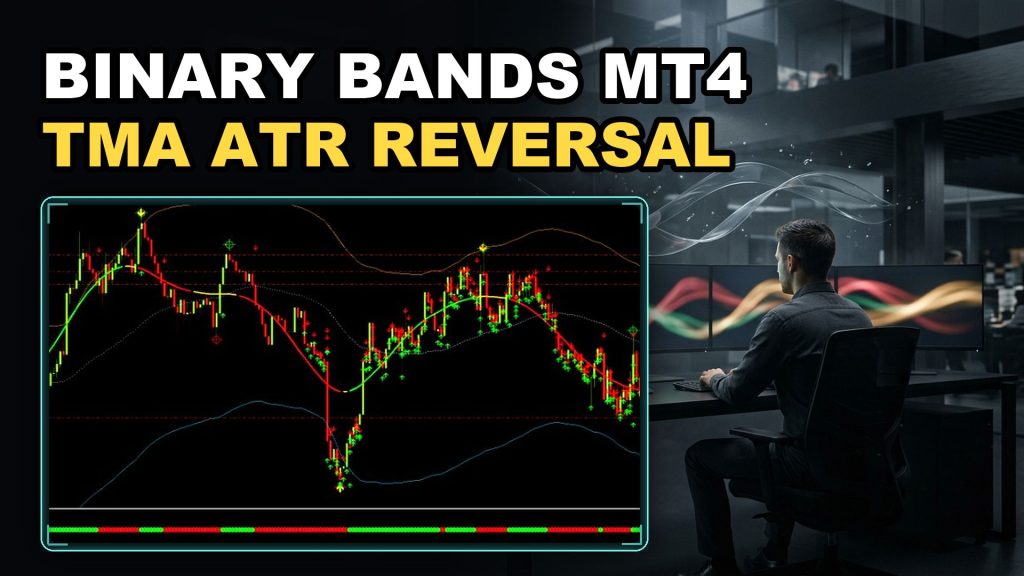
Five-layer MT4 mean-reversion and trend-pullback indicator template combining a 7-band Fibonacci TMA ATR volatility channel, color-coded TMA slope midline, ZigZag Depth-60 swing markers, and a Binary Code 0/1 subwindow momentum filter.
TL;DR
A 5-layer MT4 chart template for XAUUSD and forex pairs that combines Fibonacci TMA ATR volatility bands (1.618x to 3.236x), a slope-colored TMA midline, Depth-60 ZigZag swing markers, and a Binary Code 0/1 subwindow momentum strip. Wait for outer-band exhaustion plus TMA slope color shift and Binary Code alignment before entering.
No official listing has been supplied for this product.
Source information only
Product details are sourced from the publisher. RBOT.CC has not independently verified performance claims.
This page describes a third-party product. RBOT.CC is not the developer unless explicitly stated. Verify all claims before use.
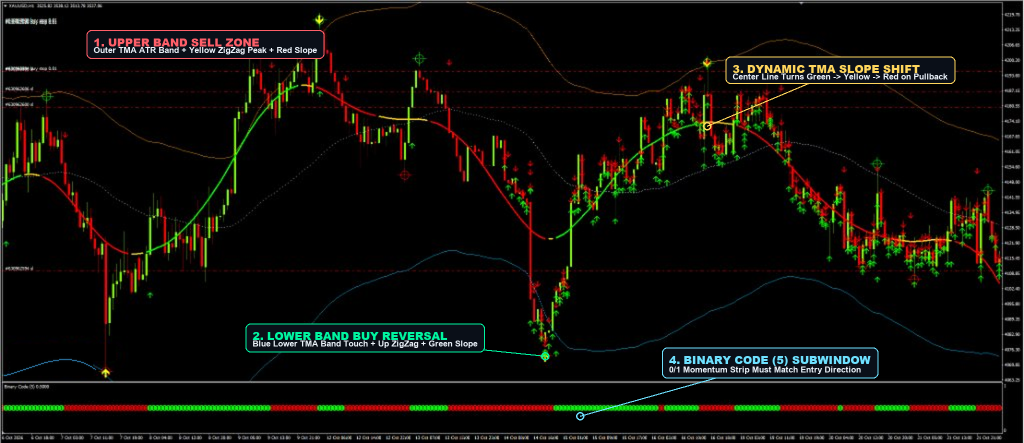
Binary Bands operates as a multi-indicator confluence template built around Triangular Moving Average (TMA) envelopes and multi-level volatility bands. The primary structural layer, TMA ATR Channel (TMAPeriod 20, ATRPeriod 100, TrendThreshold 0.25), plots a dynamic center line that shifts between green in bullish slopes, yellow in neutral transitions, and red in bearish slopes, surrounded by seven outer ATR bands scaled at Fibonacci ratios (1.618, 2.0, 2.236, 2.5, 2.618, 3.0, and 3.236). A secondary baseline, TMA+CG MTF AA TT NoRePaint (HalfLength 75, Price 6 Weighted Close, Deviation 2.5), tracks the broader trend trajectory and triggers on-chart arrows when price pierces its outer envelope. To time entries inside those bands, the template overlays three trigger filters. First, ZigZag Arrow (ExtDepth 60, ExtDeviation 5, ExtBackstep 3) and RenkoScalp SMF (Period3 24, Dev_Step_3 3,8) mark major structural swing highs and lows with large yellow arrows and crosshair target circles. Second, micro pullback arrows print along the color-changing TMA midline whenever price retests the dynamic moving average during an active trend wave. Third, the subwindow Binary Code Indicator (Binary_Code_Period 5) converts short-term price momentum into a binary 0/1 oscillator strip of green bullish blocks and red bearish blocks, preventing premature counter-trend entries while a directional impulse is still expanding.
Because centered TMA calculations and ZigZag swing markers can adjust while an extreme wave is still extending, you should never enter blindly on the first outer-band touch or a single unconfirmed yellow arrow. For mean-reversion entries at the outer brown upper band or blue lower band, wait for three mandatory confirmations: price reaches the TMA ATR outer envelope, the TMA center line transitions through yellow into the new direction (green for long, red for short), and the subwindow Binary Code (5) strip flips to matching green or red blocks on a closed candle. For trend-continuation entries, trade only in the direction of the dominant TMA center-line color when price pulls back to the midline and prints a matching micro arrow alongside an aligned Binary Code strip. Place a hard stop-loss just outside the recent ZigZag swing extreme or one ATR band beyond your entry price. Scale out 50% of the position when price reverts back to the TMA center line, and trail the remaining position toward the opposite outer band. Avoid taking mean-reversion fades during high-impact economic news releases when XAUUSD or forex pairs can walk the outer band without reverting.
.ex4 for MT4 or .ex5 for MT5).tpl)quick_install.bat)quick_install.bat.MQL4/Indicators (or MQL5/Indicators), and copy any .tpl files into the templates folder.Yes. All core indicators and EAs on RBOT.CC are free to download directly without email walls, hidden paywalls, or account limits. If a third-party developer offers an optional commercial Pro version, it is clearly indicated with an external source link.
Yes. You can run them on unlimited demo and live accounts with any MetaTrader broker. We strongly recommend testing thoroughly on a demo account for at least 2 to 4 weeks to observe trade behavior and drawdowns before using real money.
You can join our Telegram community (@wwwrbotcc) to ask setup questions, share backtests, and discuss strategy settings with the RBOT team and other algorithmic traders.
⚠ READ BEFORE USE
This indicator is for educational and expert use only. Test on a DEMO account for at least 30 days before going live. By clicking “OK”, you acknowledge and accept the risks of trading.