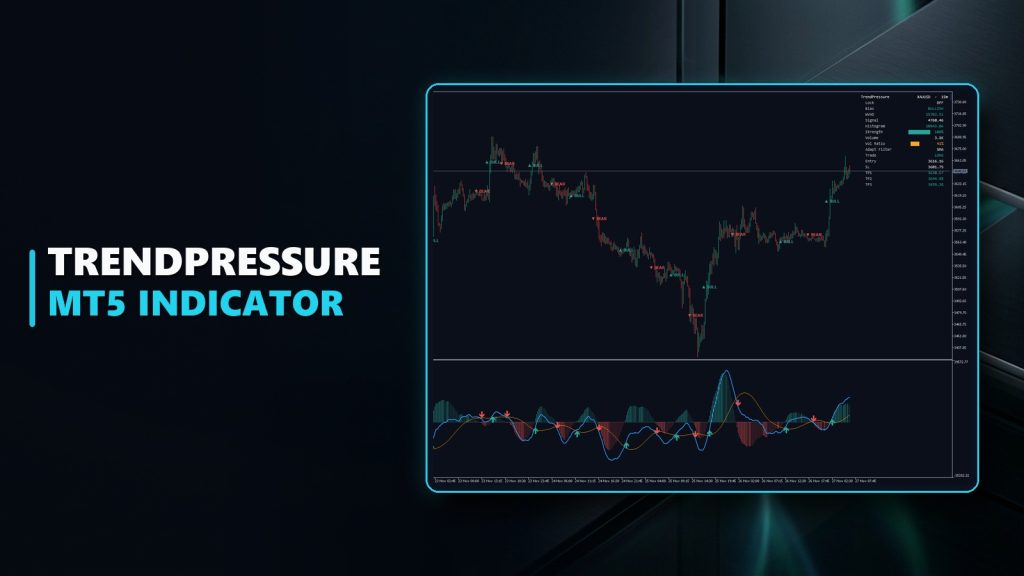
Third-party product
MT5 subwindow WVAD momentum oscillator with adaptive signal smoothing, HTF and ADX regime filters, and ATR SL/TP1-TP3 trade dashboard
TL;DR
Subwindow WVAD momentum oscillator for MetaTrader 5 verified across XAUUSD M15/H1 and EURUSD H1. Combines a 21-period WVAD line, 30-period adaptive signal line, 4-state histogram, optional HTF and ADX filters, and a dark telemetry panel computing ATR-based SL and TP1-TP3 levels.
No official listing has been supplied for this product.
Installation checked
RBOT.CC checked installation on the stated platform. This does not verify trading performance.
This page describes a third-party product. RBOT.CC is not the developer unless explicitly stated. Verify all claims before use.
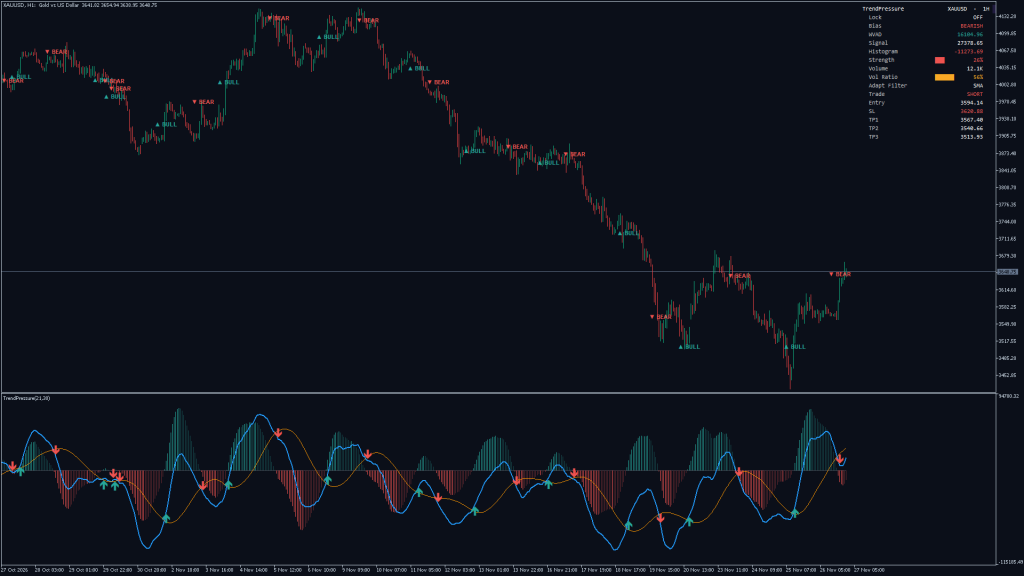
TrendPressure builds its core oscillator on Williams Variable Accumulation/Distribution (WVAD), scaling candle close-open pressure against the bar range weighted by tick or real volume over InpWvadLen (default 21). It smooths that pressure flow with an adaptive Signal line (default InpSigLen = 30, SMA adaptive filter over InpAdaptLen = 9) and plots the difference as a 4-color momentum histogram around a zero baseline. Crossovers between the WVAD curve and Signal line trigger subwindow directional arrows alongside on-chart BULL and BEAR markers, while optional Higher Timeframe (InpUseHtf, default H1) and ADX trend-strength filters (InpUseAdx, threshold 20.0, period 14) suppress counter-trend or low-volatility flips. An optional top-right telemetry panel displays Lock status, directional Bias, live WVAD/Signal/Histogram readings, Strength percentage meter, Volume Ratio, active trade direction, and ATR(14)-based reference levels for Entry, SL (1.5x ATR), TP1 (1.0x ATR), TP2 (2.0x ATR), and TP3 (3.0x ATR), with structured JSON log events on crossovers and target touches.
Because InpLockSignal is set to false by default, the current open bar crossover and Entry/SL/TP levels can change dynamically until the candle closes. Enable InpLockSignal = true or wait for closed-bar confirmation before acting on alerts. WVAD values scale in volume-weighted units rather than a fixed 0 to 100 range, so absolute oscillator levels differ across Gold (XAUUSD), major forex pairs, and different session liquidity regimes. Test your chosen HTF and ADX filter thresholds on a demo account first and avoid trading raw crossovers ahead of high-impact macroeconomic releases.
.ex4 for MT4 or .ex5 for MT5).tpl)quick_install.bat)quick_install.bat.MQL4/Indicators (or MQL5/Indicators), and copy any .tpl files into the templates folder.Yes. All core indicators and EAs on RBOT.CC are free to download directly without email walls, hidden paywalls, or account limits. If a third-party developer offers an optional commercial Pro version, it is clearly indicated with an external source link.
Yes. You can run them on unlimited demo and live accounts with any MetaTrader broker. We strongly recommend testing thoroughly on a demo account for at least 2 to 4 weeks to observe trade behavior and drawdowns before using real money.
You can join our Telegram community (@wwwrbotcc) to ask setup questions, share backtests, and discuss strategy settings with the RBOT team and other algorithmic traders.
⚠ READ BEFORE USE
This indicator is for educational and expert use only. Test on a DEMO account for at least 30 days before going live. By clicking “OK”, you acknowledge and accept the risks of trading.